Client Onboarding Form Template
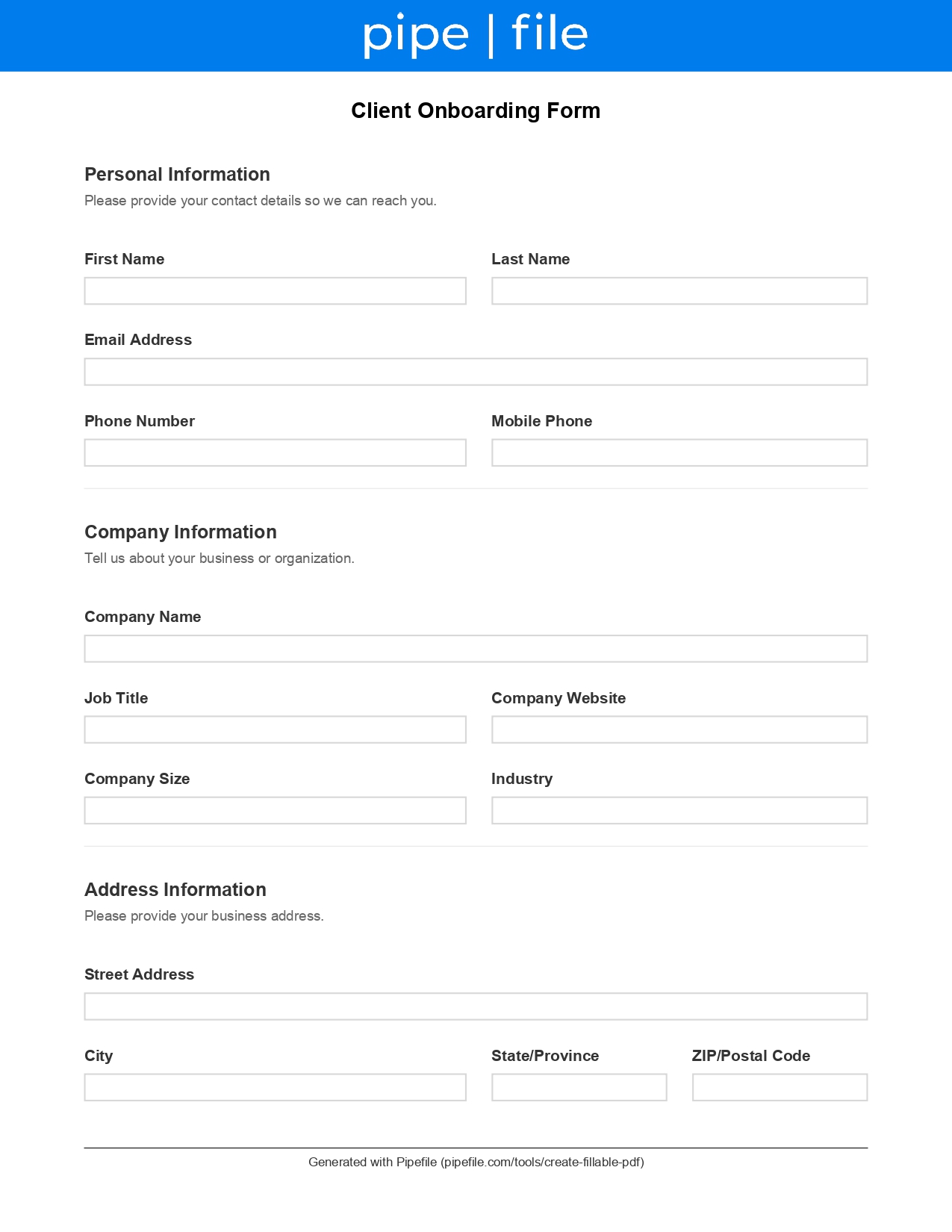
Professional services onboarding • Contact + company info • Project requirements and goals • Timeline + budget • Communication preferences • Signature and consent
Use a professional client onboarding form to collect contact details, company information, service requirements, timeline, budget, and signature in one consistent workflow. This template helps professional service providers reduce back-and-forth, start projects faster, and keep client intake organized.
Key Benefits
Start engagements faster with a standardized onboarding workflow
Collect requirements, timeline, and budget up front to reduce follow-ups
Capture preferred communication method and best contact times
Improve handoffs between sales and delivery with complete intake data
Keep onboarding consistent across every client and project type
Common Use Cases
Agencies onboarding new retainers and project-based clientsConsultants gathering scope, goals, and communication preferencesAccounting and legal teams collecting business and service detailsOperations teams standardizing client setup and kickoff intakeFreelancers collecting requirements before a statement of work
Frequently Asked Questions
What should a client onboarding form include?
Most client onboarding forms include contact details, company information, service requirements, project timeline, budget range, communication preferences, and an acknowledgment or signature. This template covers those essentials in one flow.
How is this different from a client intake form?
An intake form often captures basic background and initial needs, while an onboarding form is designed to kick off delivery—confirming requirements, timelines, budget, and preferred communication so your team can start work with fewer follow-ups.
Can I use this onboarding form across different industries?
Yes. The structure is industry-agnostic and works well for professional services. You can customize the form sections to add or remove fields that are specific to your workflow.
Checklist
Required Information
Client contact details
Required
Name, email, phone, and preferred contact details
Company and role details
Required
Company name, website, job title, and industry
Business address information
Required
Street, city, state/province, postal code, and country
Project Details
Service requirements and primary interest
Required
What you need help with and what success looks like
Project timeline and budget range
Required
Expected timeline and estimated budget range to align on scope
Preferences
Communication preferences
Required
Preferred contact method, best time to contact, and time zone
Referral source
How the client heard about you (optional but helpful for tracking)
Authorization
Signature and consent
Required
Agreement to terms and signature/date fields