Interactive Client Checklists
Send a clear list of what you need. Clients upload on any device, see what's done, and finish without the email chase.AI Assistant
Build checklists with the AI Assistant
Describe what you need to collect, drop in the intake docs you already use, and let the AI Assistant build the checklist for you. Available on all plans.
Identity2 items
Income2 items
Forms1 item
Built for the intake you run every week — client onboarding, loan packages, case files.
Describe it in plain language
“New client onboarding for a tax engagement” becomes a structured checklist with the right sections and items.
Drop in the docs you already have
Attach an engagement letter or checklist as context. The Assistant reads them and turns your real process into checklist items.
Fillable forms, attached automatically
Upload a W-9 and it becomes a fillable form on the right item — mapped for you, ready for clients to complete online.
Effortless Client Experience
Send professional file requests that clients actually complete
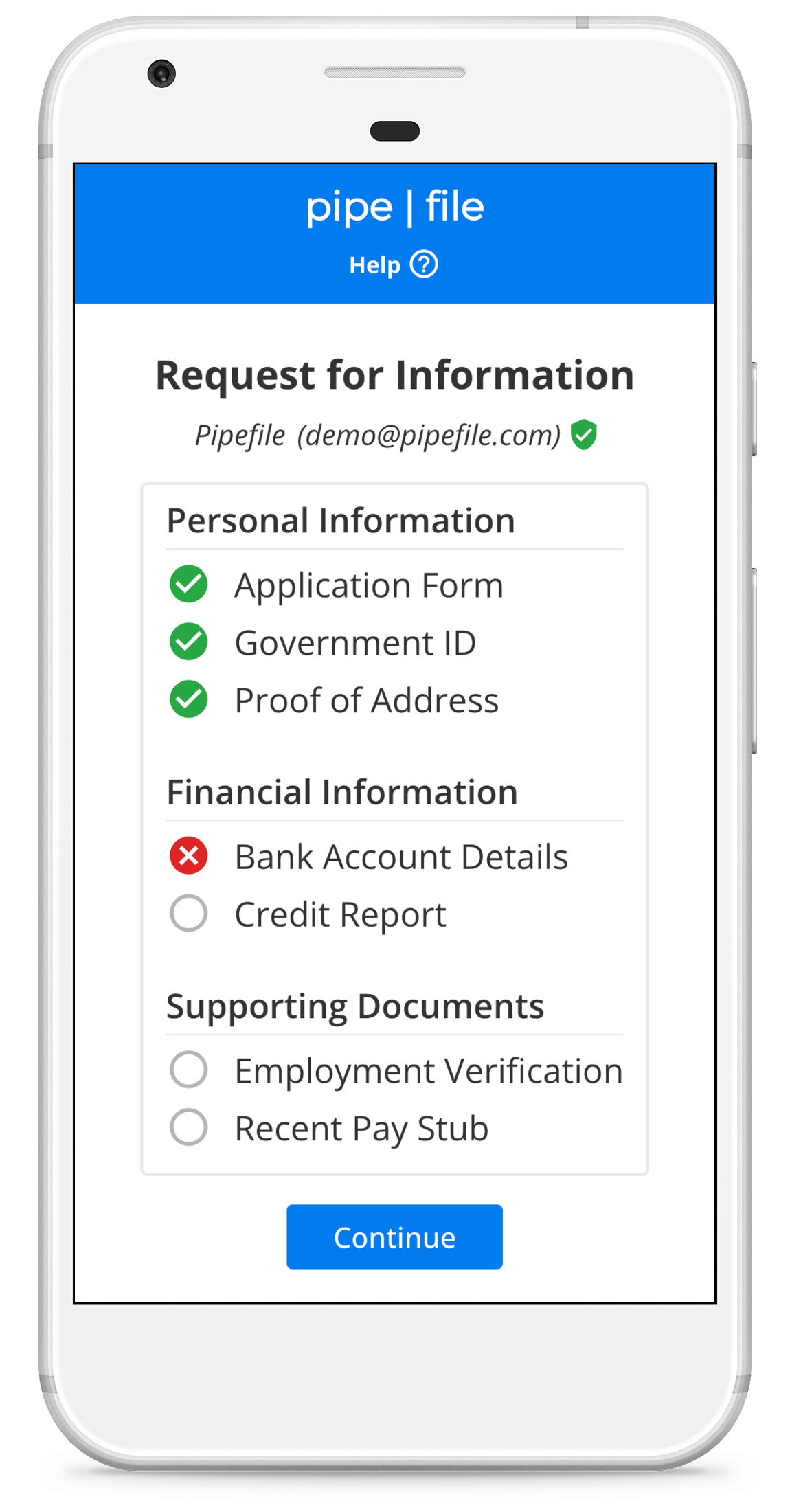
Transform document collection from a frustrating back-and-forth into a smooth, professional experience. Your clients receive a branded link via email or SMS, follow clear step-by-step instructions, and upload documents directly to your secure portal. No more chasing clients for missing paperwork or dealing with scattered email attachments.
- One-click sharingSend via email, SMS, or direct link.
- Mobile-optimizedWorks perfectly on any device.
- Progress trackingClients see exactly what's completed and what's pending.
- Bank-level securityYour documents are encrypted and protected.
Real-Time Client Communication
Keep clients moving forward with instant help
When clients get stuck, they don't have to stop. Our built-in commenting system lets clients ask questions directly on specific checklist items, and you can respond instantly to guide them through the process. No more missed emails, phone tag, or clients abandoning their submissions halfway through.
- Item-specific commentsClients can ask about individual requirements.
- Instant notificationsGet alerted immediately when clients need help.
- Contextual responsesAnswer questions without losing track of where they are.
- Progress continuityClients stay engaged and complete more submissions.
Integrated Document Review Workflows
Approve, reject, and request corrections
When clients upload incorrect or unclear documents, our built-in review system makes it easy to provide specific feedback and request corrections. Send detailed explanations about what's wrong (blurry images, missing signatures, incorrect document types) and automatically notify clients to resubmit—all with just a few clicks.
- One-click approvalsQuick review and approval process.
- Automated remindersFollow up automatically until documents are correct.
- Progress dashboardSee the status of all client submissions at a glance.